
Conversational AI is transforming the way we interact with technology, and Microsoft offers a range of solutions for creating chatbots and virtual assistants.
For a basic IT user, it’s important to understand the differences between Bing Chat Enterprise, Microsoft Copilot, Microsoft 365 Copilot, and building your own ChatGPT solution.
In this blog post, we’ll explore these options, their features, and the pros and cons of each.
Bing Chat Enterprise
Bing Chat Enterprise is an advanced version of Microsoft’s Bing Chat, tailored specifically for business and enterprise users.

The key features and focus of Bing Chat Enterprise include enhanced privacy protections, data security measures, and compliance with enterprise-grade standards, ensuring that sensitive information and business data are handled securely.
Microsoft Copilot
Microsoft Copilot, previously referred to as Microsoft Chat with Graph-grounded chat, represents a significant advancement in how artificial intelligence (AI) can enhance workplace productivity, creativity, and skill development.

Microsoft Copilot merges the capabilities of AI with the wealth of work data and applications within the Microsoft ecosystem to offer a unique chat experience. Unlike conventional AI chat applications that can find information on the web or even compose poems, Microsoft Copilot goes a step further by incorporating your work content, such as chats, emails, and documents, to assist in drafting content, catching up on missed information, and answering specific work-related questions.
Furthermore, Microsoft Copilot with Graph-grounded chat differentiates itself from Copilot in specific Microsoft 365 Apps by its ability to work across multiple apps and content, leveraging AI in conjunction with your secure work data. This broad applicability enables tackling wider goals and objectives beyond the capabilities of Copilot in individual apps like Word or PowerPoint, which are tailored to assist within their respective application contexts.
Microsoft 365 Copilot
Microsoft 365 Copilot represents a significant leap in productivity software, integrating advanced AI to enhance the user experience across Microsoft’s suite of applications, including Word, Excel, PowerPoint, and Outlook.
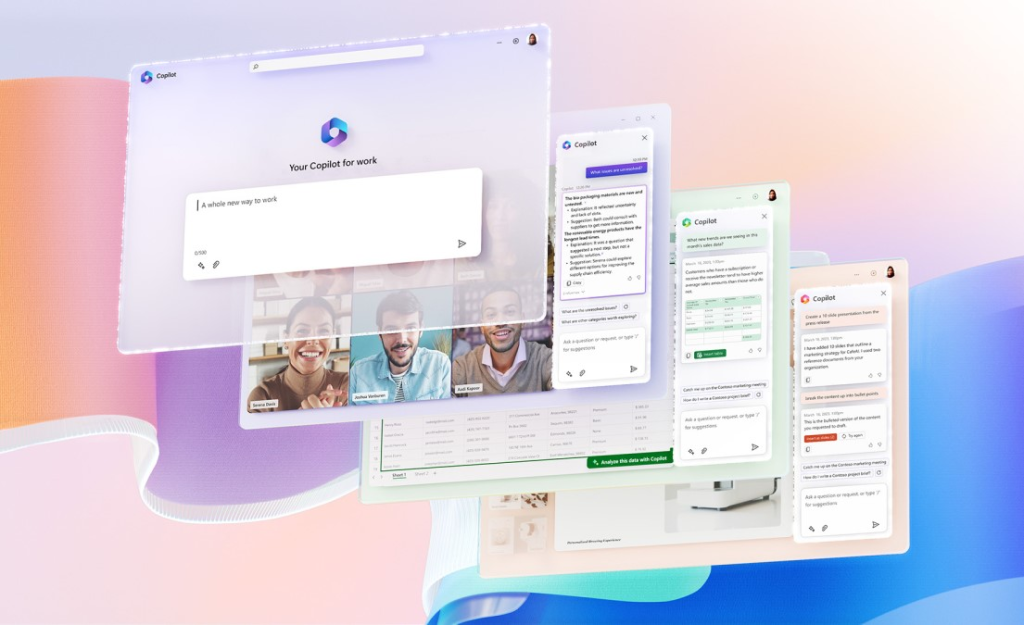
The Copilot system is designed to act as an intelligent assistant, streamlining tasks such as drafting emails, generating reports, creating presentations, and analysing data.
This integration aims to boost productivity, reduce manual workload, and foster more creative outcomes by allowing users to leverage natural language commands to interact with their software, making complex tasks more accessible and efficient.
Building Your Own ChatGPT Solution
If you’re looking for a highly customisable chatbot or virtual assistant, building your own ChatGPT solution is an option. This approach typically involves using platforms like Azure and integrating AI models like GPT-3, GPT-4.
Building your own ChatGPT solution offers the most flexibility. You can create a chatbot or virtual assistant for various applications, from customer support to content generation.
Pros
- Full customization and control over the chatbot’s behavior and capabilities.
- Can be tailored to your specific needs.
- Can use AI models like GPT-3, GPT-4, GPT-4 Turbo, Dall-E and Whisper to provide natural language understanding.
Cons
- Requires more technical expertise and development resources.
- More time-consuming and complex to set up compared to other options.
Conclusion
In summary, Microsoft Copilots’, Microsoft Bing Chat Enterprise, and building your own ChatGPT solution cater to different needs and skill levels.
- Opt for Bing Chat Enterprise if you want a secure ChatGPT experience with content grounded to just the internet.
- Choose Microsoft Copilot if you’re looking for a secure ChatGPT experience with content grounded to both the internet AND your Microsoft 365 data.
- Choose Microsoft 365 Copilot if you’re looking to improve day to day tasks within the Microsoft office suite of productivity tools.
- Consider building your own ChatGPT if you have specific use cases and require full customisation, but be prepared for a more complex and time-consuming process.
- Consider purchasing a 3rd party solution where you need bespoke requirements or don’t have the skill in house. Solutions such as Encodians Chatr (https://www.encodian.com/product/chatr/) product offers secure, customisable solutions that enable integration using plugins to other line of business systems.
Ultimately, the choice depends on your goals, technical expertise, and the specific requirements of your project. Each option has its own set of advantages and limitations, so assess your needs carefully to make the best choice for your IT endeavours.
 Aaron Rendell